 NexSHOPX-官方新闻
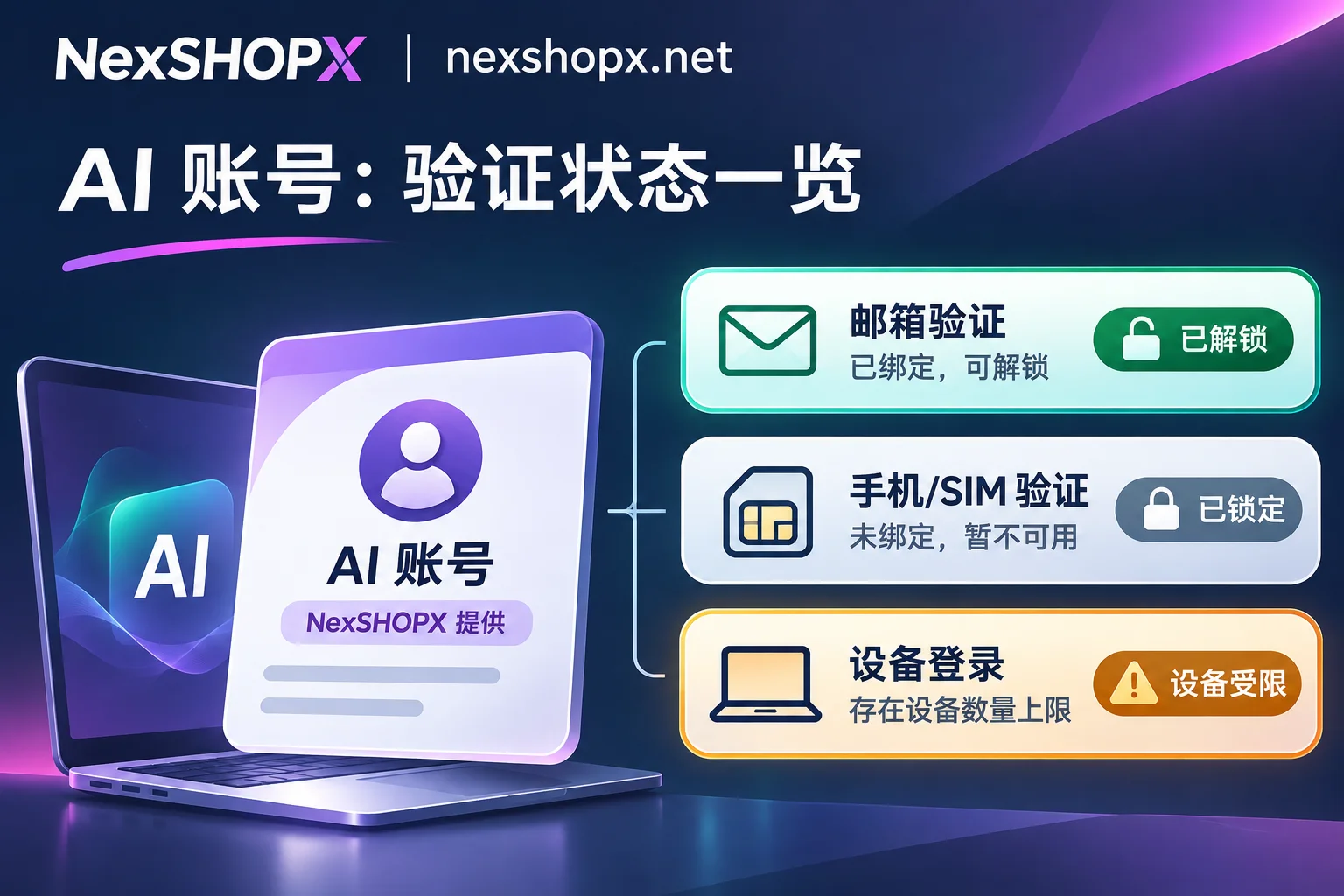
A purchased ChatGPT account can change its email if conditions are met, but a bound phone number cannot be changed by yourself. To truly keep a purchased account securely in your hands, recognize three things before acting: First, changing the login email must be done on the chatgpt.com web version, and you must be able to access the current original email to receive verification codes; if you cannot access the original email, no one can change it. Second, ordinary web chat now mostly does not require phone verification, but generating an API Key for the first time and opening Codex on desktop still trigger phone verification, and officially, unbinding or changing the bound phone number is not supported. Third, starting November 2026, OpenAI limits the number of paid accounts associated with a single device and a single card; buying multiple paid accounts and switching between them on the same computer can easily trigger Device limit reached and force you out.
Below is a clear breakdown of ownership, feature boundaries, and ordering pitfalls most easily confused before "ChatGPT account purchase".
1. For a purchased ChatGPT account, can the email and password actually be changed?
Many buyers assume that "after getting the account credentials, changing the email and password to your own makes it safe", but in OpenAI's account system, changing the password is easy, while changing the email is extremely restricted.
According to OpenAI Help Center (updated rules in 2026), personal accounts do support changing the login email while retaining chat history and subscription, but must simultaneously meet the following conditions:
- Must still be able to log into the current original email to receive mail: OpenAI officially states that changing email is not supported when you cannot access the original email inbox.
- Can only be changed on the web version: You need to log into
chatgpt.com, go to Settings → Account → Email to initiate verification; there is no email change entry in iOS and Android clients. - Quick-login accounts need a password set first: If the account was originally created with Google, Microsoft, or Apple one-click login, it does not have an independent password; you must first add an OpenAI password in Settings → Security before you can change the email. The same applies to changing the password; quick-login accounts by default need to change the password at the original identity provider.
- Workspace and organization accounts cannot self-change: Accounts that are members of Business, Enterprise, or Edu workspaces, or have organization single sign-on (SSO) enabled, cannot change email themselves.
- Frequency and platform-wide linkage: At most 2 changes within 24 hours, and at most 20 changes cumulatively per account; the new email must not already be used by another OpenAI account. Since ChatGPT and OpenAI API share the same account system, email changes take effect on both sides simultaneously, and all logged-in devices will be logged out, requiring re-login with the new email.
Two most common email pitfalls when buying accounts
- Only account credentials provided, no access to the original email: Once a new device login verification code is triggered or email change is needed later, you cannot receive mail at the original email, and actual control of the account remains with the original registrant.
- Illegally changing information during the warranty period: Some ready-made accounts state on the product page that binding information or password changes are prohibited during the warranty period, to avoid triggering risk control due to frequent password changes during first login. Before buying, be sure to read the delivery format and modification rules on the product page; for the complete security check sequence after taking over, you can also refer to the site's How to Set Up ChatGPT Account Security: 5-Step Checklist on Takeover Day.
2. The most easily overlooked hard limit: phone number cannot be changed once bound
Many people think ChatGPT has long completely removed phone verification and do not ask about phone number status when buying, only to get stuck when using developer features.
According to OpenAI's current phone verification rules:
- Daily creation and web chat: Generally no longer mandatory phone verification.
- First API Key generation (platform.openai.com): Mandatory phone verification via SMS (some regions support WhatsApp); after generating the first Key, subsequent Key creation generally does not require it again.
- Opening Codex on ChatGPT desktop: May also pop up phone verification requirement.
- Number type restrictions: OpenAI rejects landlines, VoIP, Google Voice, paid virtual numbers, and public SMS receiving platform numbers; and one phone number can be associated with at most 3 accounts in the first API Key process.
- The most critical one: OpenAI does not provide the function to change or unbind phone numbers. It is not even allowed to delete the old account and re-register with the same email.
What does this mean? If you buy an account just for daily chat, copywriting, and reading documents, you usually will not encounter phone verification; but if you plan to use Codex for coding or create Keys on the API platform, do not buy low-priced accounts that "someone verified with a public SMS platform or are already bound to a dead number"—once verification pops up, you can neither change the original phone number nor recover the original account.
3. Don't buy the wrong features: web chat, Go/Plus, and API are three separate accounts
Before considering which type of account to buy, eliminate the two most common cognitive misconceptions:
- ChatGPT Plus ready-made accounts do not include API balance: Membership subscriptions on web/client (Go, Plus, Pro) and OpenAI Platform API quotas are billed completely separately. Buying Plus does not gift API call balance; to call the API, you need to top up separately on the developer platform.
- The difference between Go and Plus is not chat count, but models and tools: In 2026, OpenAI's personal subscriptions are divided into Free, Go (official $8/month), Plus (official $20/month), and Pro (three tiers: 100/200/500). Although Free and Go also open up daily text chat, they run lightweight models (such as GPT-5.6 Luna); Go may show ads in test regions, and Codex only provides limited trial-level quota; Plus upgrades to the stronger GPT-6 Sol thinking tier, ad-free experience, extended deep research, full Codex benefits, and gradually opening ChatGPT Space collaboration features.
4. November 2026 new rules: Don't switch multiple paid accounts on one computer
Previously, many heavy users used to buy two or three cheap Plus ready-made accounts and switch them on the same computer to "pool quota". This trick has become invalid since November 2026.
OpenAI has launched a limit on the number of paid accounts per payment card and per device, covering ChatGPT Go, Plus, and Pro 100/200/500 (Free version and Business, Enterprise, Edu workspace accounts are not counted toward the limit):
- When too many subscriptions are associated with the same payment card or device, checkout will be directly blocked.
- When more than the allowed number of paid accounts are logged in on the same device,
Device limit reachedwill pop up, making that paid account unusable on this device. - Even if everything is normal at purchase and works for the first two days, subsequent system reviews may still force you offline.
- Logging out of another logged-in account, or topping up and adding Credits, cannot release the device slot.
By the way, OpenAI's dual-account quick switching (Account switching) launched at the end of October allows you to have two accounts logged in simultaneously on web or mobile and switch without logging out (e.g., one personal account and one company workspace account), but it only handles switching convenience; it neither merges the paid benefits of the two accounts nor bypasses the above device limit.
5. Buy a ready-made account or use original-account activation? Choose directly based on your actual use
Connecting the rules above actually makes the decision very clear. The table below maps the four most common needs:
| Your actual need | Safest approach | Pitfall to avoid |
|---|---|---|
| Long-term personal use, keep chat history, fully controlled email change | Register with a controllable overseas email yourself, use original-account activation for Plus/Pro | Buying cheap ready-made accounts without original email access, or trusting "lifetime after-sales" shared carpool accounts |
| Need Codex for coding or API Key generation | Register with your own email + verify with your own physical phone number + original-account activation or separate API top-up | Buying ready-made accounts of unknown origin bound to one-time SMS verification (cannot rebind if phone verification is triggered later) |
| No overseas email / just want to quickly get a dedicated account to start | Choose exclusive standard accounts with complete login credentials or upgradable ready-made accounts | Confusing Plus accounts with API balance, or switching multiple paid accounts in one browser |
| Team collaboration / multi-seat management | Use Business or other workspace solutions, or assign independent devices and environments for different members | Sharing one personal account across the whole team, or bulk-registering personal Plus accounts with the same card on one computer |
If you have already figured out which category you belong to, you can configure along two paths:
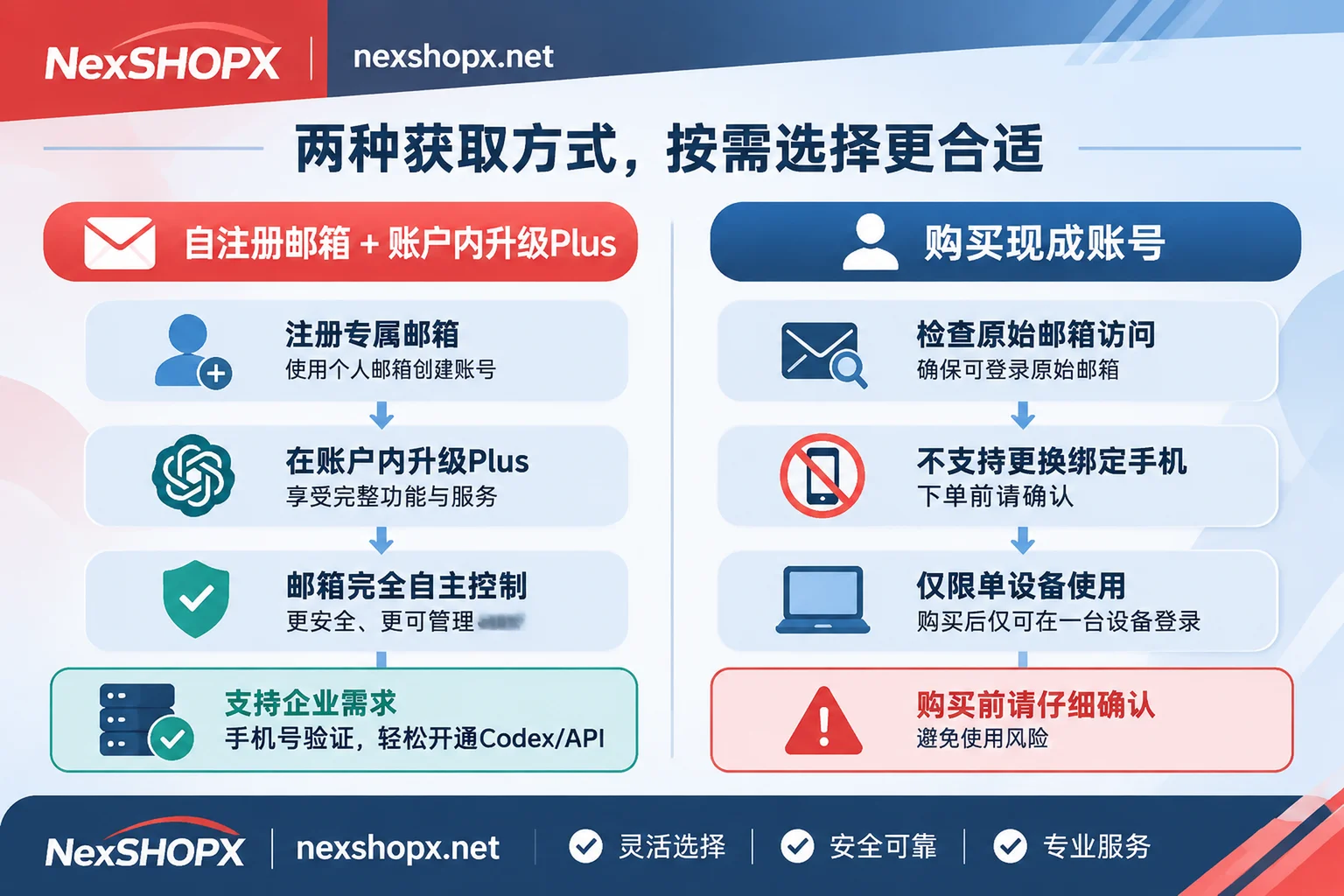
- Want to keep account control entirely to yourself: It is recommended to first register an OpenAI account with an overseas email you control long-term, then use NexSHOPX's ChatGPT Plus / Pro activation to activate or renew monthly on your own account; chat history, custom settings, and email control all belong to you. If you happen to lack a clean, independent overseas email for registration, you can also set up a Gmail account or overseas email account at NexSHOPX first. For detailed comparison between activation and ready-made accounts, refer to the site's Is ChatGPT Plus activation done on your own account? How is it different from buying a ready-made account.
- Don't want to bother registering, need to directly get a ready-made exclusive account: You can make a ChatGPT account purchase at NexSHOPX; the platform provides standard registered accounts with completed email and basic verification (usable with free quota) and "Plus upgradable" ready-made accounts, delivering complete login credentials. For detailed comparison of different tiers, see How to Choose ChatGPT Account Purchase? Guide to Standard, Plus Upgradable, and Pro Activation Under 2026 Quota Doubling and Device Risk Control.
NexSHOPX ordering and after-sales boundary notes:
- The store supports registered ordering or guest direct ordering; payment methods support Alipay and USDT (settled in CNY); in-stock items are automatically delivered after payment confirmation; you can retrieve account credentials on the order query page with the order number; manual activation and pre-order specifications are handled by contacting customer service.
- Specific inventory, price, region, first login time limit, warranty duration, and whether information modification is restricted during the warranty period for each specification are subject to real-time indications on the product page and Terms of Service and Warranty Rules; unless otherwise stated, orders cannot be canceled after successful payment.
- Note the business boundaries: NexSHOPX is only responsible for account or membership activation delivery, and does not provide network acceleration nodes, SMS receiving services, multi-account fingerprint browsers, or proxy IPs, nor does it provide methods to bypass platform risk control; please comply with platform terms and maintain legal and compliant use during use.
6. 4-step self-check list on the day of receipt
Whether you bought a ready-made account or sought activation, checking these 4 steps on the day of receipt can avoid 90% of subsequent troubles:
- Complete first login within the specified time limit: After getting the credentials, complete the first login in a clean network environment as soon as possible within the time limit required on the product page, and immediately confirm whether the original bound email can log in normally to receive mail.
- Check warranty password change rules before modifying information: First confirm whether the product page allows password or email changes during the warranty period; after confirming it is allowed, check for abnormal login records and third-party authorizations, then proceed according to the web process.
- Don't pile multiple paid accounts on one device: If you already have an active Go/Plus/Pro account, do not repeatedly switch and log in to newly purchased paid accounts on the same computer or browser, to avoid triggering
Device limit reached. - Save the order number and delivery screenshots: For guest orders, be sure to note the order number to retrieve information on the order query page; if encountering abnormal issues not caused by human violations, promptly contact customer service with order information and handle according to warranty rules.