 NexSHOPX-官方新闻
In the daily operations of cross-border e-commerce store opening, overseas social media matrix building, and batch registration of AI tools, Microsoft's Outlook and Hotmail emails have always been one of the most consumed "digital infrastructure" for going global teams. However, entering 2026, many procurement personnel and technical teams have found that the email usage methods they were used to in the past are frequently hitting walls: when importing accounts in third-party clients, they repeatedly pop up "Please confirm that IMAP service is enabled" or authentication invalid errors; just logged in and wanted to send a business contact letter, but received 535 5.7.139 indicating that SMTP sending is temporarily disabled; even on the first login across devices, they directly trigger "account locked" interception.
If the team still orders according to the old "one-size-fits-all" logic when making Outlook email purchases, it will not only waste budget but also slow down the pace of front-end business. Previously, we introduced the basic specification differences in "How to Choose Specifications for Outlook Email Purchase? Comparison of Direct Login New Accounts, Locked Accounts, and IMAP Protocol"; this article will combine Microsoft's latest authentication strategy and sending/receiving risk control mechanisms in 2026, from the perspective of business scenario adaptation and cross-platform account matrix collaboration, to help going global teams clarify the procurement and operation logic of underlying emails.
I. Three Major Risk Control Pain Points of Microsoft Emails in 2026: Why Are Purchased Accounts "Not Working"?
According to recent feedback from the Microsoft Learn community and industry technical documents, in 2026, Microsoft's security control over personal accounts (MSA) is concentrated in the following three dimensions, which are also the core reasons for frequent pitfalls for buyers:
- Full enforcement of OAuth 2.0 modern authentication and tightening of client protocols
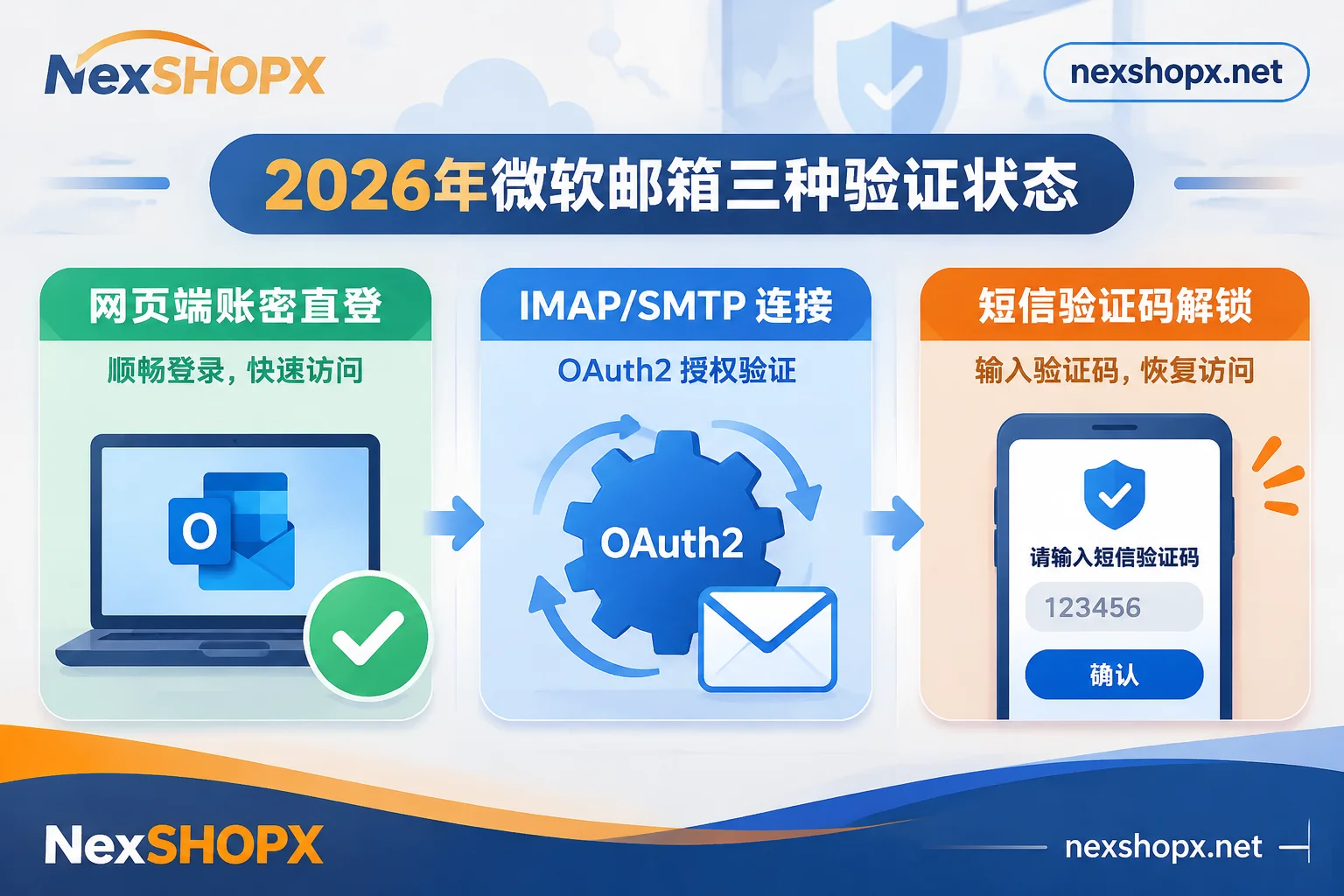
Microsoft has fully phased out traditional basic authentication (connecting protocols with only account and password), requiring third-party clients to authorize via OAuth 2.0. More importantly, recently many users have reported that even with modern email clients that support OAuth 2.0, some recently registered personal emails or accounts that have not separately activated protocols in the backend still report errors and cannot fetch emails when connecting to IMAP/POP. - Tightening of SMTP sending strategy and receive-only restrictions
To curb spam and automated abuse, Microsoft has implemented extremely strict reputation checks on outbound sending for new accounts. Many newly registered emails can normally receive registration verification codes from various platforms, but once they attempt to send emails outward (especially via client SMTP submission), they are highly likely to trigger535 5.7.139errors or directly cause sending functions to be restricted. In addition, some specific email specifications on the market are themselves set to receive only and cannot send. - Phone verification lock on first login from different locations (Account Locked)
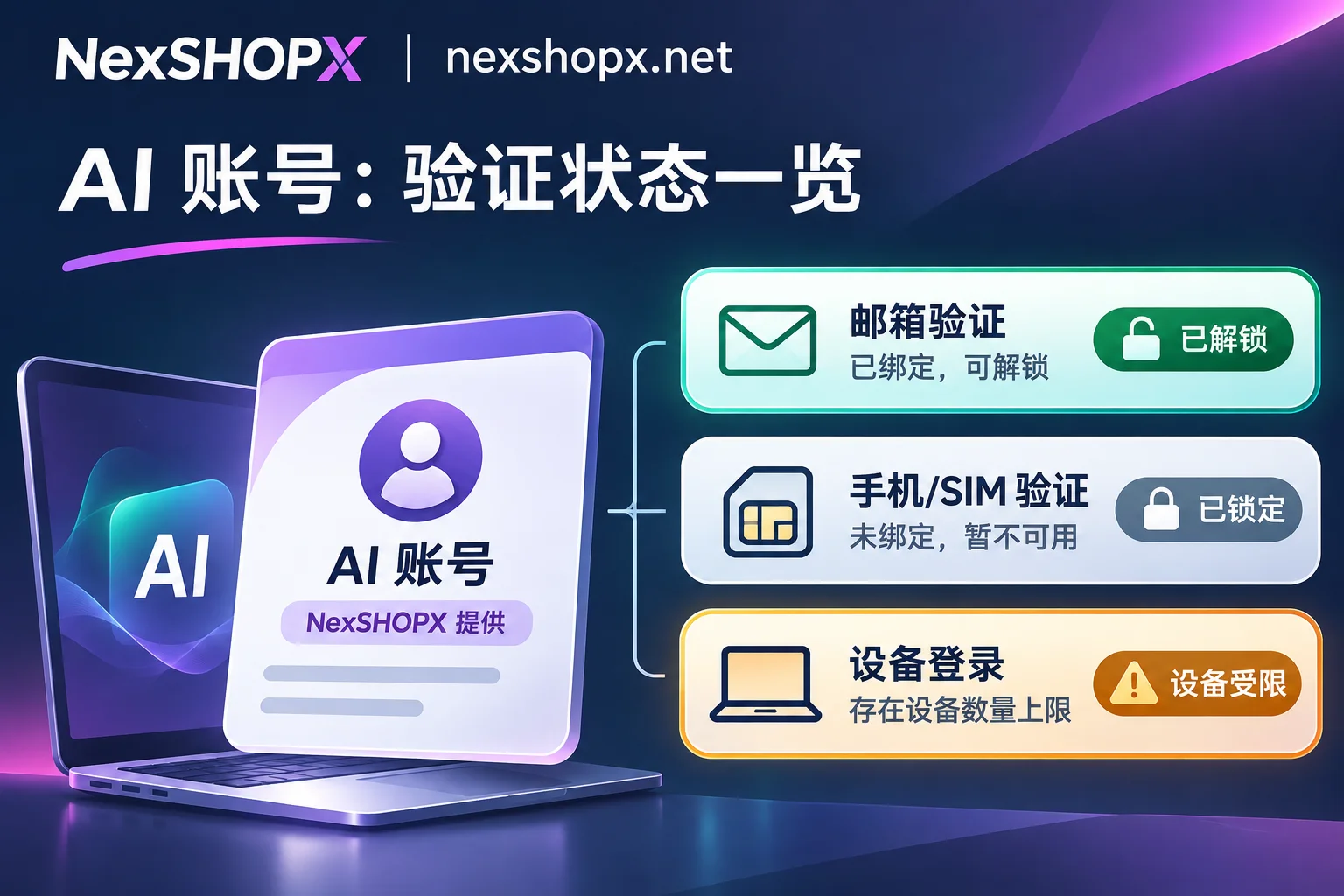
When an account logs in from IPs in different regions within a short period, or the login environment is abnormal, the system will temporarily lock the account and require entering a phone number to receive a security code to unlock. Although Microsoft allows any phone number that can receive codes to complete this step (not mandatory to be the original bound phone), for teams without a budget for receiving codes, buying the wrong status will directly cause the account to be stuck at the first login step.
II. Precise Matching by Business Flow: How to Use Web Direct Login, Protocol Accounts, and Locked Accounts?
Facing the above technical restrictions, when purchasing in the NexSHOPX Outlook / Hotmail Email Zone, teams should abandon the "one-size-fits-all" approach and strictly select the corresponding account status and suffix (Outlook or Hotmail) according to the subsequent operation chain:
1. Manual Registration of Social Media and AI Tools: Choose "Web Account Password Login" Brand New Direct Login Accounts
If your core need is for operators to manually register overseas platforms in the browser, or just occasionally log in to check security notifications, then there is no need to pay for complex client protocols.
- Configuration Plan: Directly purchase brand new direct login accounts. These accounts can normally log in and receive emails via the web upon receipt, saving tedious configuration steps.
- Troubleshooting Tips: If the system prompts to bind a backup email during the first web login, you can usually choose to skip temporarily at the bottom of the page; if you encounter verification interception as mentioned in "Why Does It Prompt That You Cannot Log In with Password? Handle According to Five Situations Based on the Location of the Prompt", do not blindly retry at high frequency; first check the network environment and login entrance.
2. Automated Script Code Receiving and Client Aggregated Management: Look for "IMAP/POP/SMTP Activated" Specifications
For cross-border customer service who need to centrally manage dozens of emails with email clients, or development and testing teams who automatically read registration verification codes through programs, ordinary specifications that only support web login cannot meet the needs.
- Configuration Plan: Must clearly select the specification with IMAP/POP/SMTP activated on the product page.
- Usage Notes: Due to Microsoft's current OAuth 2.0 verification mechanism, it is recommended to use with clients or official applications that support modern authentication. Also note that some email specifications are only for receiving verification codes (receive only, cannot send). If the business involves sending business development letters outward, carefully read the functional boundary description on the product page before ordering.
3. Batch Cost Reduction with Own Code Receiving Channels: Make Good Use of "Locked Pending Unlock" Accounts
For studios with huge daily consumption, procurement cost is a core consideration.
- Configuration Plan: The mall specifically provides lower-priced "Locked Pending Unlock" specifications and clearly indicates this status on the product page. After buyers take delivery, they only need to verify once with their own phone number to unlock and use normally. If you already have ready-made code receiving resources, purchasing this specification can greatly compress the per-account cost; otherwise, if you do not have phone verification conditions, be sure to choose brand new direct login accounts.
III. Cross-Platform Matrix Building: Collaborative Procurement Strategy of Underlying Emails and Finished Accounts
In actual going global business, purchasing emails is often only the first step. How to combine underlying emails with front-end business accounts determines the operational efficiency and account survival rate of the entire team (refer to "Enterprise Overseas Account Procurement SOP: How Do Going Global Teams Configure Multi-Platform Accounts and AI Memberships According to Positions and Business Flows?").
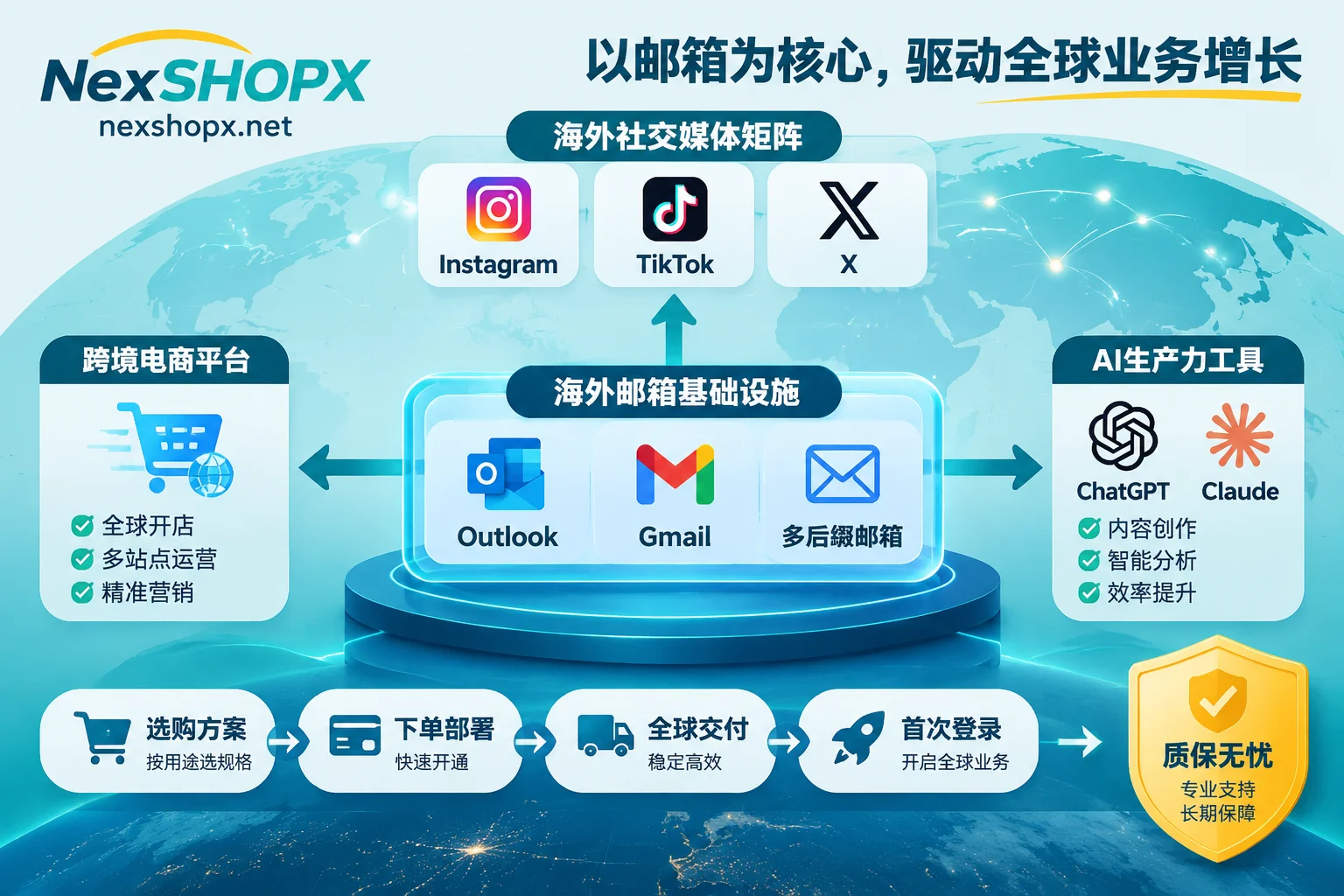
Scenario A: Underlying Rebinding and Account Nurturing for Social Media Marketing and Content Matrices
Many teams buy Outlook emails to register or rebind social media themselves. But under strict platform risk control, registering social media accounts from scratch with brand new emails is not only time-consuming but also likely to require secondary phone verification at the registration stage.
- Collaborative Plan: It is recommended to use a combination of "underlying email + pre-nurtured finished accounts". For example, when laying out visual and short video content, you can directly purchase Instagram accounts that have undergone basic account nurturing with complete profiles and avatars, or TikTok accounts that have been matched with the environment according to their region; when building public opinion and information matrices, you can choose email accounts or X (Twitter) accounts with blue badges according to binding methods; for community operations, you can choose Discord accounts that simultaneously deliver bound email login permissions and support enabling 2FA yourself. Using the purchased independent Outlook emails as auxiliary security emails or daily notification receiving boxes for these matrices can greatly reduce the risk of front-end main accounts going offline due to verification issues.
Scenario B: Account Reserve and Membership Upgrade for AI Productivity Tools
In scenarios of AI-assisted programming, copywriting generation, and data analysis, Microsoft emails are often used as passports for registering large model accounts.
- Collaborative Plan: If the team does not want to spend energy on email and basic verification during registration, they can directly purchase OpenAI (ChatGPT) accounts that deliver complete login credentials in the mall (including standard registered accounts and ready-to-upgrade Plus accounts), or brand new exclusive Claude accounts (credentials belong to the buyer after delivery, and can be changed to your own purchased bound email according to instructions). For main accounts that have been registered with your own Outlook emails and have accumulated a large number of historical conversations, you can use ChatGPT Plus / Pro top-up or Claude membership top-up services to directly complete monthly renewal or upgrade on the original account, ensuring continuity of business data.
Scenario C: Multi-Suffix Email Diversion to Avoid Single Domain Risk Control
Some overseas vertical websites, niche dating platforms, or e-commerce systems in specific regions set registration frequency thresholds for a single email suffix (such as @outlook.com flooding in a short period).
- Collaborative Plan: Never put all business eggs in one basket. In addition to Microsoft emails, teams should purchase in combination according to business weight: for businesses heavily dependent on the Google ecosystem, choose brand new exclusive Gmail accounts with some attached auxiliary recovery emails (see "How to Choose Gmail Account Purchase? 2026 Guide to Pure Email Accounts, Google Full Ecosystem Accounts, and Overseas Email Configuration Under Scan Code Verification and Risk Control Upgrade"); for scenarios requiring high cost-effectiveness or multi-country local suffixes, supplement with Yahoo, Proton, Firstmail, or Onet.pl emails including specifications of old accounts over one year under the Overseas Email Accounts category. Each email is sold only once, and by mixing multiple suffixes, the homogenization characteristics during batch registration can be effectively reduced.
IV. Procurement Delivery and First Login Operation Compliance Checklist
To ensure that purchased emails and various finished accounts operate stably after delivery and avoid losing after-sales guarantee due to improper operations, it is recommended that teams strictly execute the following verification process when taking delivery:
- Self-service delivery and credential preservation: When placing an order through the NexSHOPX Mall, you can either register an account or order as a guest, supporting Alipay and USDT (CNY settlement), and in-stock items are automatically delivered after payment confirmation. If using guest mode, be sure to properly keep the order number and retrieve the card secret at any time through the Order Query Page; for bulk orders or pre-order business, you can directly contact Telegram Customer Service to confirm inventory and negotiate prices.
- Strictly comply with first login time limit and modification rules: After receiving the account, be sure to complete the first login test within the time limit specified on the product page. If you encounter questions during first login, you can first refer to "Password Correct but Always Prompt Login Failed? Troubleshoot by Five Reasons, Handle First Login for Newly Bought Accounts Like This" and "Should You Change Password Immediately After Login Failure? Stop and Troubleshoot First, These Situations Warrant a Change". Special Note: Whether modification of password or information is allowed must strictly refer to the instructions on the corresponding product page (some categories prohibit modification of information during the warranty period).
- Clarify warranty boundaries and compliant use: The mall follows common after-sales mechanisms of limited-time first login and replacement for discontinuation within the warranty period, but order cancellation is not supported after successful payment. At the same time, failure to log in on time, violation of information modification restrictions, violation of bulk marketing email sending triggering anti-cheat mechanisms, or abnormalities caused by multiple people sharing accounts are not covered by the Terms of Service and Warranty Rules. All purchased accounts are limited to personal or corporate legal business purposes.
Under the background of increasingly strict platform verification mechanisms in 2026, choosing the correct specifications of underlying emails is the first line of defense to ensure the smooth operation of going global business. Visit NexSHOPX All Categories Navigation now to precisely configure Outlook emails and cross-platform account matrices according to your real business scenarios.