 NexSHOPX-官方新闻
Taking over a TikTok account on day one, have you truly completed your TikTok account security settings? In the past, as long as email and phone could receive verification codes, many assumed the account was under their control. But with TikTok launching Security Checkup and native Passkey support, that old standard is no longer sufficient. This article is based on TikTok's official public mechanism explanations; the interface and available scope are subject to what's shown in the app.
From Security Checkup to Passkey: The Criteria for TikTok Account Handover Have Changed
Since 2025, TikTok has stepped up account security: consolidating phone/email binding, two-step verification (2SV), trusted device list, and abnormal login checks into one entry point—Security Checkup. You can find it under "Settings & Privacy > Security and Permissions" to see at a glance which devices and verification methods are currently "bound" to the account.
More importantly, the introduction of Passkey. This is an asymmetric encryption mechanism based on public-private keys. The private key resides only on the user's device or cloud keychain (e.g., iCloud Keychain, Google Password Manager). TikTok only receives the verification result and never sees your biometric data. This means an account may have multiple legitimate login channels: besides password, there could be a Passkey on the previous owner's device. Therefore, the core question when taking over isn't "Can I receive verification codes?" but "Which devices and keys still belong to the previous owner?"
Mechanism Breakdown: Passkey Private Key Stays on Device, Why "Receiving Verification Codes" No Longer Means Account Control
Passkey's private key stays on the device, relying on Face ID, fingerprint, or PIN for local verification. TikTok only receives the verification result. According to TikTok's official announcements and support center, if the previous owner hasn't unbound their Passkey or cleared the trusted device list, even if you change the password and swap your bound email and phone, they might still log in directly via the Passkey on their devices.
In other words, receiving a verification code only means you've got one of the verification tokens; Passkey is an independent channel, with its "key" still on the previous owner's device. So, the prerequisite for account control is: the previous owner's Passkey is unbound, trusted devices are removed, and two-step verification is transferred. These must be done item by item in Security Checkup; missing any one means you haven't gained full control.
Delivery Form Tiers: From "Just Password" to "Device and Passkey Transfer", What's Missing Each Time
The table below is a logical deduction based on official public mechanisms, not TikTok's published tier standards or risk data. Based on control ownership, common delivery forms can be divided into four levels. You can compare with the delivery checklist you received to see what's missing:
| Delivery Form | What You Get | What's Missing | Residual Risk |
|---|---|---|---|
| Just password | Login username and password | Bound email/phone not yours, 2SV may not be manageable | In theory, still possible to initiate recovery via bound email |
| Password + bound email | Password and a bound email | Trusted devices not cleaned, old devices may still be online | If a device remains in trusted list, it may form an independent login channel |
| Password + email + phone number ownership | Primary contact methods switched to yours | Trusted device list and Passkey not handled | Passkey on previous owner's device can still bypass password login |
| Device and Passkey transfer completed | Trusted devices cleared, 2SV re-bound, new Passkey bound | Basically none, but need to confirm backup verification methods | Lower remaining risk, but need to confirm backup methods and maintain stable login environment |
The first three tiers, due to missing "device" or "key" dimensions, leave an invisible backdoor to the account. Only completing the last tier constitutes a true transfer of control.
Four-Step TikTok Account Security Settings Walkthrough: Status Check → Device & Session Cleanup → Verification Method Transfer → Bind Your Own Passkey
On the day of takeover, follow this order; don't reverse it, as each step is the foundation for the next:
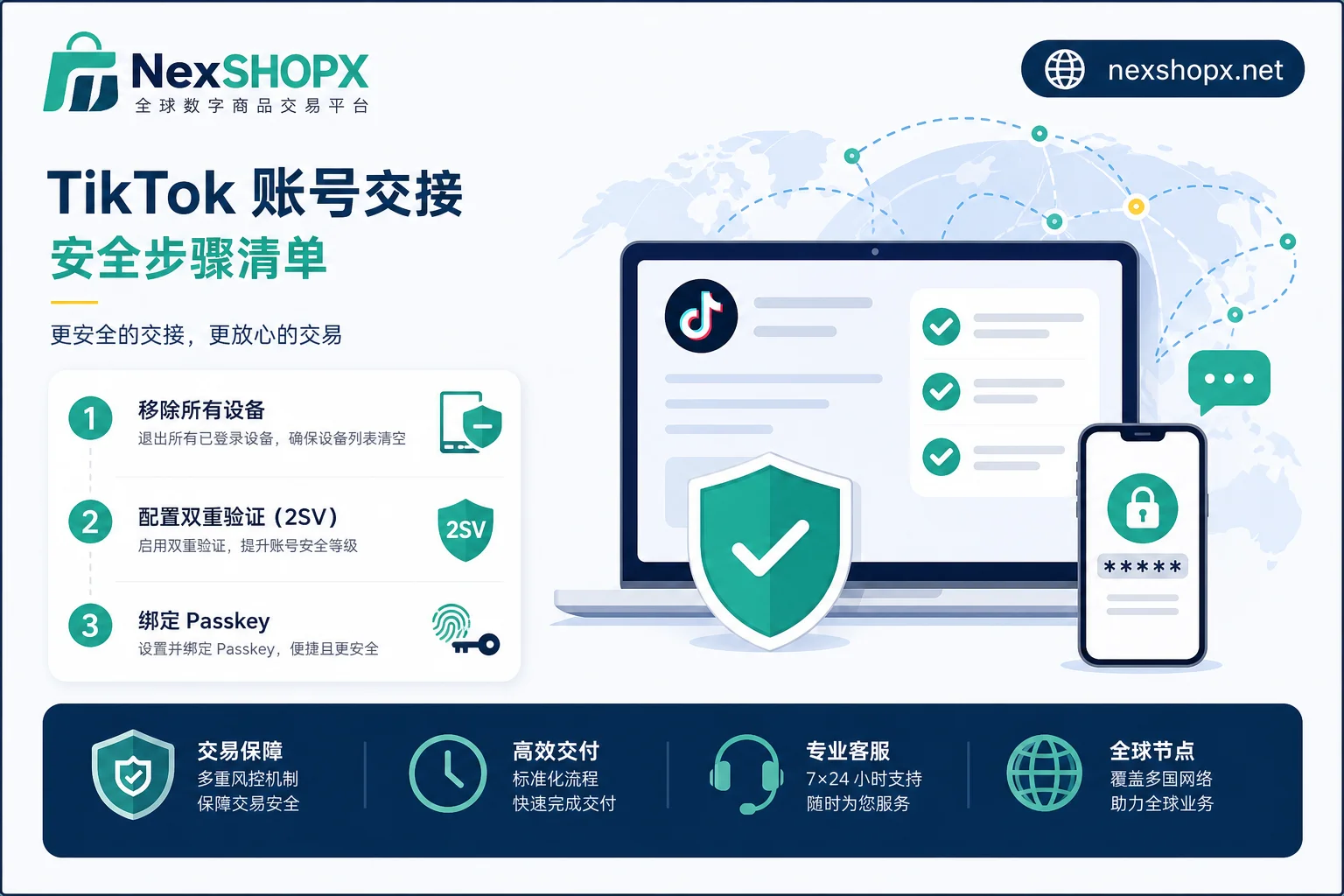
- Status Check: Go to "Settings & Privacy > Security and Permissions" to open Security Checkup. Check if the security status is normal, and if there are any abnormal login prompts or items that need review. This step helps you quickly understand which devices and verification methods are currently bound to the account, and whether TikTok has already flagged suspicious behavior.
- Device & Session Cleanup: In Security Checkup's "Manage Logged-in Devices," view all logged-in devices, remove any devices you don't recognize or no longer use, and end sessions on those devices. According to TikTok's official announcements and support center, you can view and remove devices in one place here. This step is key to cutting off the previous owner's channel.
- Verification Method Transfer: Change the bound phone/email to ones you control, and migrate the two-step verification (2SV) receiving method to your own independent authenticator. If the current account's 2SV options include an authenticator, prioritize your own independent authenticator; if only SMS/email is available, ensure that the bound number and email ownership are fully transferred. The available verification methods are subject to what's shown in the app. Make sure the old authenticator is invalidated.
- Bind Your Own Passkey: Enable Passkey on your device, for example, create a new key with Face ID or fingerprint, and keep a backup verification method (such as a backup email or 2SV authenticator) in case you lose your device. Once this step is done, control truly falls back into your hands.
Interface entry names may adjust with versions, but the mechanism logic stays the same: clear devices first, then change verification, finally bind new keys.
Login Environment Isolation: Fixed Devices and Network, Avoid Frequent Switching to Trigger Extra Verification
TikTok actively monitors anomalous account behavior and prompts review on the security interface. According to TikTok's official announcements and support center, in the early period after takeover, it's recommended to fix a common device and stable network environment, and avoid frequent device changes or cross-region/network logins in a short time. Actions like frequent device switching, mass following, or sending many DMs can easily trigger extra verification, directly affecting account stability.
This isn't about suppressing normal operations, but giving the new environment a "credibility-building period." After completing security settings, maintain device and network stability, then gradually resume normal operations. TikTok doesn't publicly disclose trigger thresholds; all we can do is control variables and reduce unnecessary risk.
First Login Failure or Extra Verification Requested: TikTok Says "Login Requires Additional Verification" – What to Do? Three-Layer Troubleshooting
If you encounter login issues, don't panic. Troubleshoot in three layers:
Environment Layer
- Check whether the current device, IP, and network differ significantly from the delivery environment. For example, if the delivery was in Location A and you first log in from Location B, it might trigger risk control.
- Ensure the network connection is stable, and the device timezone and common region settings are consistent, avoiding significant fluctuations in the login environment.
Credential Layer
- Is the password actually correct? Have the bound email/phone been actually transferred?
- Is the 2SV authenticator available? If the code comes from an old device, you won't receive it.
- Is there an unbound old Passkey causing trouble? If the other party's device still holds the private key, they could theoretically still operate.
Account Status Layer
- Open Security Checkup to see if there are any "abnormal login prompts" or "pending review" items. According to TikTok's official announcements and support center, official prompts are clearly shown on the security interface. If any, follow the prompts to complete verification.
If both environment and credentials are normal but the account is still locked or requires extra verification, it's likely an account status issue. You'll need to contact the delivery party within the after-sales time window. Don't attempt any workaround to bypass verification; if a review is needed, submit through TikTok's official channels as prompted and inform the delivery party simultaneously.
How to Use the After-Sales Time Window: Distinguishing Delivery Issues from Risk Control Caused by Your Own Actions
Immediately after receiving the account, complete the Security Checkup verification and take screenshots of the verification results and time records. This way, if disputes arise later, you can provide evidence of "the account status at delivery."
Clearly distinguish between two types of issues:
- Delivery issues: Such as inability to log in on the delivery day, inability to remove devices, or verification methods that can't be transferred. These are the delivery party's responsibility and should be raised within the after-sales time window.
- Risk control from own actions: Such as frequently changing bindings after takeover, or rapidly switching devices, triggering extra verification. These are usually not delivery issues, and after-sales may not help resolve them.
Keeping chat records, delivery checklists, and operation timelines can make responsibility determination clearer. TikTok's security mechanisms are decided by the official; all we can do is document the process.
How NexSHOPX Can Help: Category Search, Self-Service Ordering, Fast Delivery, and the Boundaries of Limited-Time Login After-Sales
When purchasing TikTok accounts, the biggest pitfall is information asymmetry: unclear delivery forms, no one to contact on first login failure. NexSHOPX provides multi-category account resource search and self-service ordering, including TikTok, with 24/7 Telegram customer service and fast delivery; if first login fails, you can contact within the limited after-sales window. Whether the delivery includes trusted device cleanup and Passkey transfer, please confirm item by item with customer service before ordering, based on their actual response.
But the boundary must be clear: TikTok's verification mechanisms, anomaly detection, and final account status are determined by TikTok. NexSHOPX can't promise permanent availability, no bans ever, or compliance with platform policies. What the platform can do is standardize the delivery process to reduce your chances of stepping on mines.
Compliance Reminder and Quick FAQs
When taking over and using a TikTok account, be sure to comply with TikTok's terms of service, local laws and regulations, and possible real-name/KYC requirements. Account handover should not and cannot be used to bypass platform review, identity verification, or ban handling. Legal and compliant operation is the way to longevity.
Can Passkey be unbound unilaterally?
No. The Passkey private key is on the other party's device; you can only unbind the key on your own device. To remove the previous owner's Passkey, you must operate through their device, or after revoking trusted devices in Security Checkup, ask the other party to unbind on their end.
SMS or authenticator for 2SV?
If the current account's 2SV options include an authenticator, prioritize your own independent authenticator; if only SMS/email is available, ensure that the bound number and email ownership are fully transferred. The availability of different verification methods is subject to the official interface.
After removing a device, can the previous owner still log in?
If the other party only used password and SMS verification, after you remove devices and change the bound phone, they basically cannot log in. But if their Passkey is still active and unbound, there's still a theoretical channel. So you must handle Passkey simultaneously.
Is the account secure after completing security settings?
Not necessarily. TikTok account security settings are dynamic; you need to maintain a stable login environment, regularly review Security Checkup, and avoid sharing devices. TikTok hasn't promised any practice guarantees absolute security.
Extra verification needed at login, but I can't receive the code. What to do?
First check if the bound email/phone is still yours, then see if the 2SV authenticator is correctly synced. If all are normal, you may have triggered abnormal login review; follow the Security Checkup prompts. If still unresolved, contact the delivery party or platform customer service (if applicable).
Sources
- (TikTok official announcement) TikTok Newsroom: Introducing TikTok Security Checkup (https://newsroom.tiktok.com/en-us/introducing-tiktok-security-checkup)
- (TikTok official support center) TikTok Support: Account safety & Security Checkup Overview (https://support.tiktok.com/en/safety-hc/account-safety/account-safety)
- (Media report) CNET: TikTok's New Security Dashboard Makes It Easier to Lock Down Your Account (https://www.cnet.com/tech/services-and-software/tiktoks-new-security-dashboard-makes-it-easier-to-lock-down-your-account/)


Comments(0)